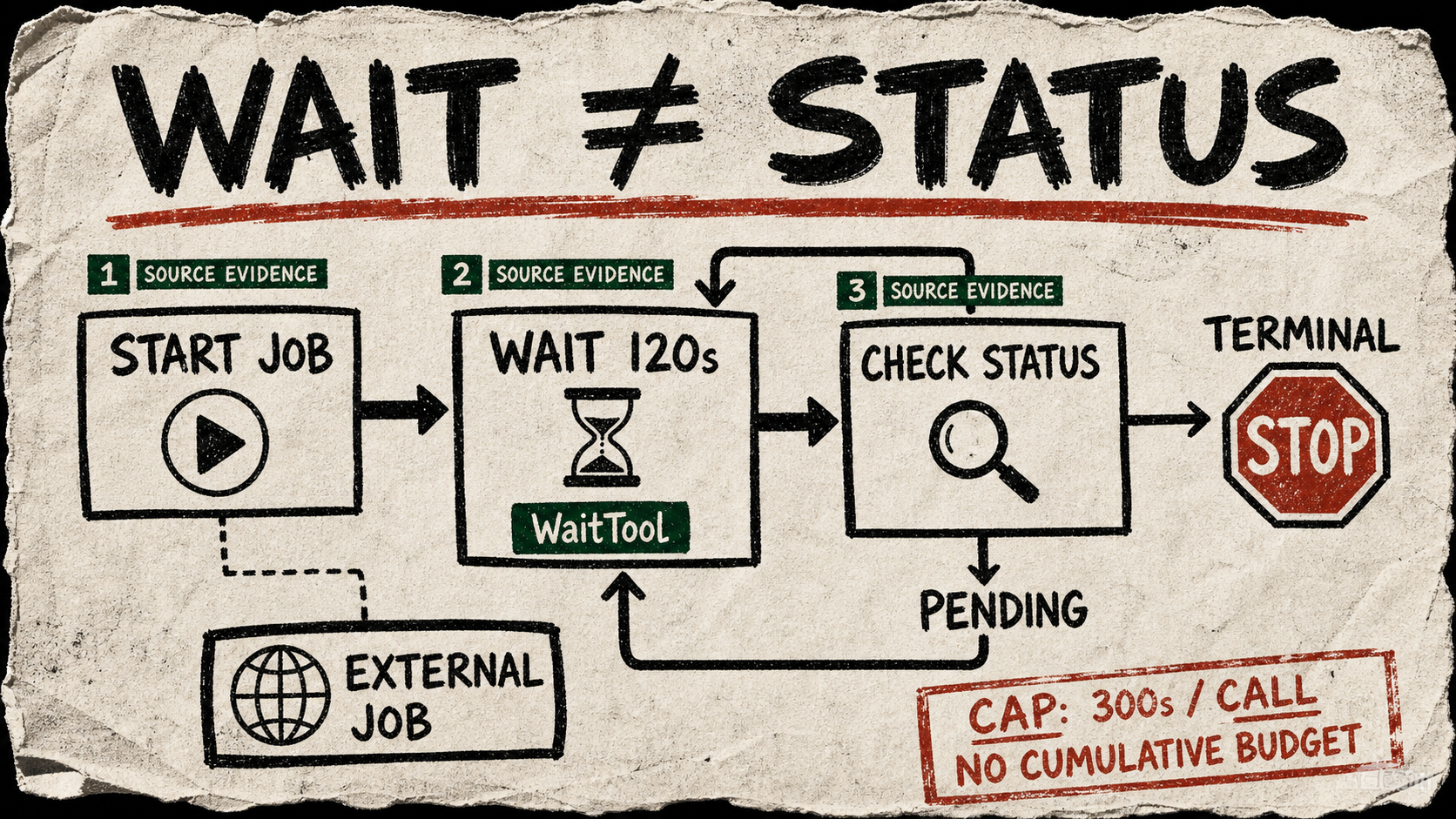
API discovery: CrewAI’s newly merged WaitTool is a public crewai-tools API for a problem most agent loops handle badly: a build, deployment, batch job, or rate limit is still in progress, but the agent has no reason to spend the next turn doing useful work. The tool takes seconds and an optional reason, waits, then returns a record of what actually happened.
A small tool with one honest job
The useful part is not sleep itself. The public documentation tells the model to use WaitTool only after work has started elsewhere and before a fresh status check. The inspected implementation also refuses to cache results: a cached “Waited 30 seconds” would turn a monitor into a busy loop that only sounded patient.
Each call has a default 300-second cap. A request for an hour waits the cap and tells the agent it was capped, so the loop can choose what to do next. That makes timing visible rather than magical. It does not make the tool a scheduler, a polling client, or a proof that the job eventually succeeded.
Practical example: a build monitor
Pair WaitTool with one tool that can start a build and another that can read its status. Start once, then alternate a bounded wait with a status check. If the check reports success or failure, stop. If it reports pending, wait again with a reason that will be useful in a trace. The API also has an async path, so an application can await the pause without blocking its event loop.
Copy-paste agent instruction
You are monitoring one build that has already been started. Query its status first. If it is terminal, report the status and stop. If it is pending or running, call WaitTool for no more than 120 seconds with a reason that names the build, then query status again. Never use WaitTool as a substitute for a status check, and stop after five unsuccessful checks so an operator can decide what to do next.Test caveat
Use this only where the agent already has authorized access to a real status endpoint. WaitTool itself needs no API key, but the build, deployment, or job checker probably will. The introducing PR says there was no version bump or release cut, and its default cap is per call rather than a total waiting budget. Test the exact installed version in a sandbox with a deliberately slow job; then verify that a stalled job hits your own stop rule instead of teaching the agent to wait forever.