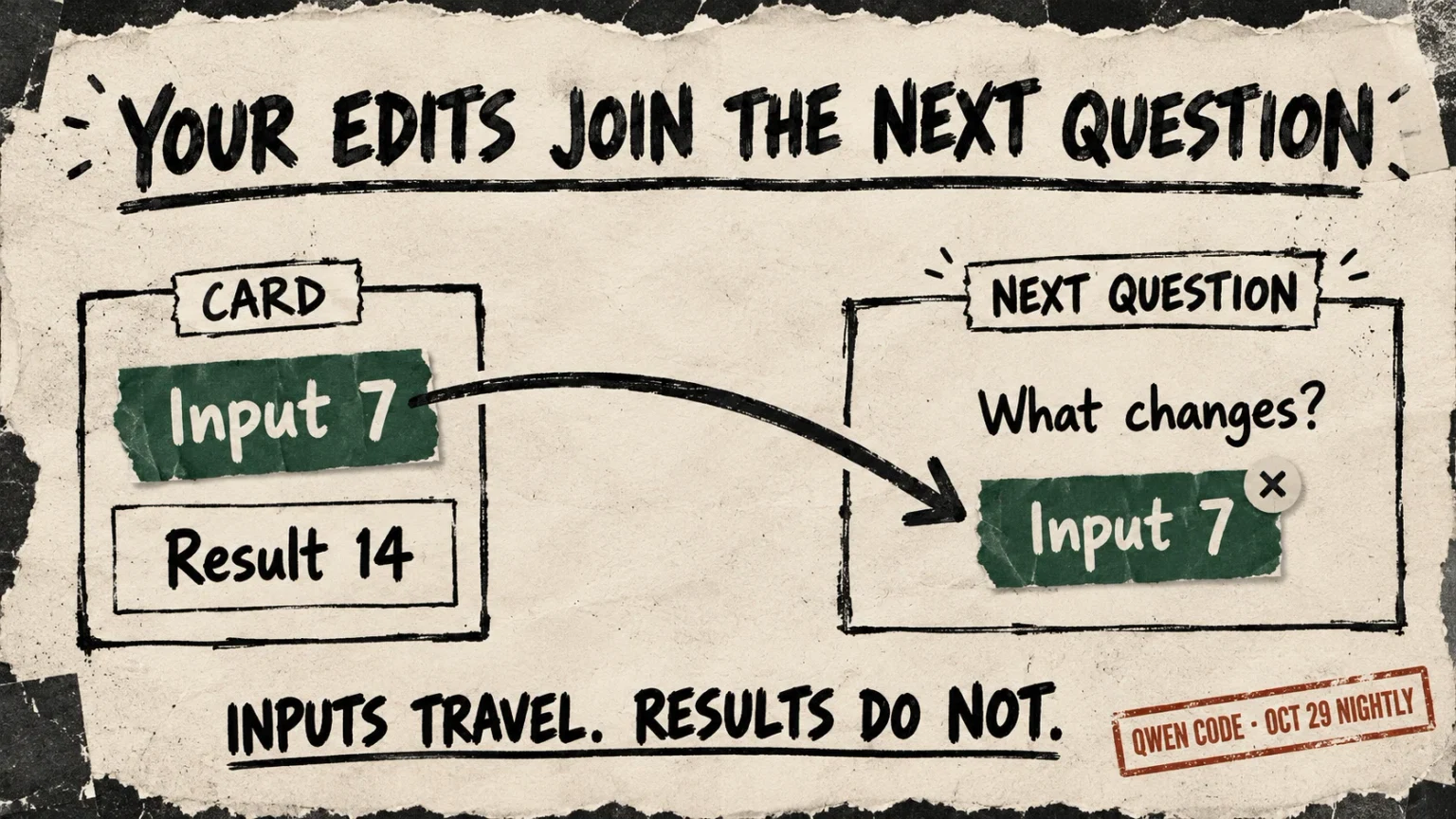
Qwen Code, the coding agent in QwenLM/qwen-code, has changed the connection between its generated cards and its chat. In the October 29 nightly, a card’s applied input values can appear as a removable attachment above the message box. Your next question can carry those values without retyping them.
The card is a small interface the model creates inside the conversation—for example, a calculator with adjustable assumptions. Its program calculates locally; Qwen’s host interface attaches a snapshot of its inputs when you continue chatting. Editing a card does not itself ask the model another question. This change is in the named nightly, not stable v0.26.4.
Change the card. Carry the inputs.
A card’s applied values can accompany your next question. Its displayed answer does not travel with them.
Illustrative example adapted from Qwen Code’s test fixture: the card doubles a number called “rate.” This example makes no model call and sends no message.
The example, without controls
The card starts with rate 2 and result 4, with no attachment. Changing the rate to 7 and choosing Calculate applies the edit: the displayed result becomes 14, and one removable attachment holds rate: 7.
The next question, “Explain the calculation using this rate,” can carry that applied input. It does not carry the result 14. Another applied edit replaces the attachment; removing it leaves the question without card values. An edit that has not been applied can leave the earlier attachment in place.
Your next question
Interactive view values
No card values attached.
“Explain the calculation using this rate.”
Inspect next message
This isolates one input from the source fixture. Real snapshots include all supported controls, including hidden, disabled and script-written values. They are captured applied parameters, not a promise of continuously current state.
A shorter path back into conversation
Qwen’s October 22 announcement presented cards that recalculate as users change numbers, with the feature initially off by default. An October 25 implementation already let someone press Continue, review captured parameters and send them to the original session.
The new route fits an ordinary follow-up. Once an interaction has produced an applied state, the card offers its values to the host. Web Shell places one removable reference per card above the composer; a later applied update replaces it. The explicit Continue action also remains, now without the separate review dialog for this built-in parameter message. Other App messages retain their review step.
For someone comparing a plan’s assumptions, the practical gain is continuity: change the numbers, then ask your own question about that version. The attachment does not have to become another standalone instruction. It can travel beside the question you meant to ask.
The input travels, not the answer
The captured message carries parameter values, not the card’s calculated outputs. It tells the model to treat them as data and recalculate where needed. Real snapshots include all supported controls, including hidden, disabled and script-written values—not just the field a person last touched.
“Applied” matters. A card with a Calculate button can have edited controls that have not yet updated its result. The inspected synchronization path attaches a completed snapshot; it does not withdraw an older attachment merely because a later edit is pending. The tag is therefore a captured version, not a guarantee that every visible change has already followed it. We did not reproduce this condition in a live Qwen session.
A separate October 28 change checks initial execution in the restricted QuickJS runtime before showing a card. It can catch a broken program or invalid UI update. It cannot decide whether the formula or its assumptions are right. Keeping inputs separate from results lets the next question reopen the calculation instead of treating the card’s answer as settled.
Where the new default applies
The nightly also enables Generated UI by default in eligible trusted local sessions whose client can render MCP Apps, such as Web Shell. This is not a default for every Qwen surface: terminal and headless runs, editor ACP clients, managed or SSH environments, shell sandboxes and untrusted workspaces are excluded. An explicit false setting disables it, after restarting the owning session. Refreshing the page resets live card interactions rather than saving them permanently.
The browser test definitions check the bridge using a real card runtime and a mocked session service. We inspected those tests, implementation and release tags; we did not run the upstream suite or test a model-backed Qwen task. They establish an inspectable input path, not improved reasoning or time saved.
Our OpenWork report examined a broader palette for generated displays. Qwen’s change asks a different design question: how does a reader’s interaction become the next thing an agent works from? Here the answer is modest and useful—a removable snapshot beside the user’s words. The next conversation can start from adjusted assumptions without making the generated display the final authority.