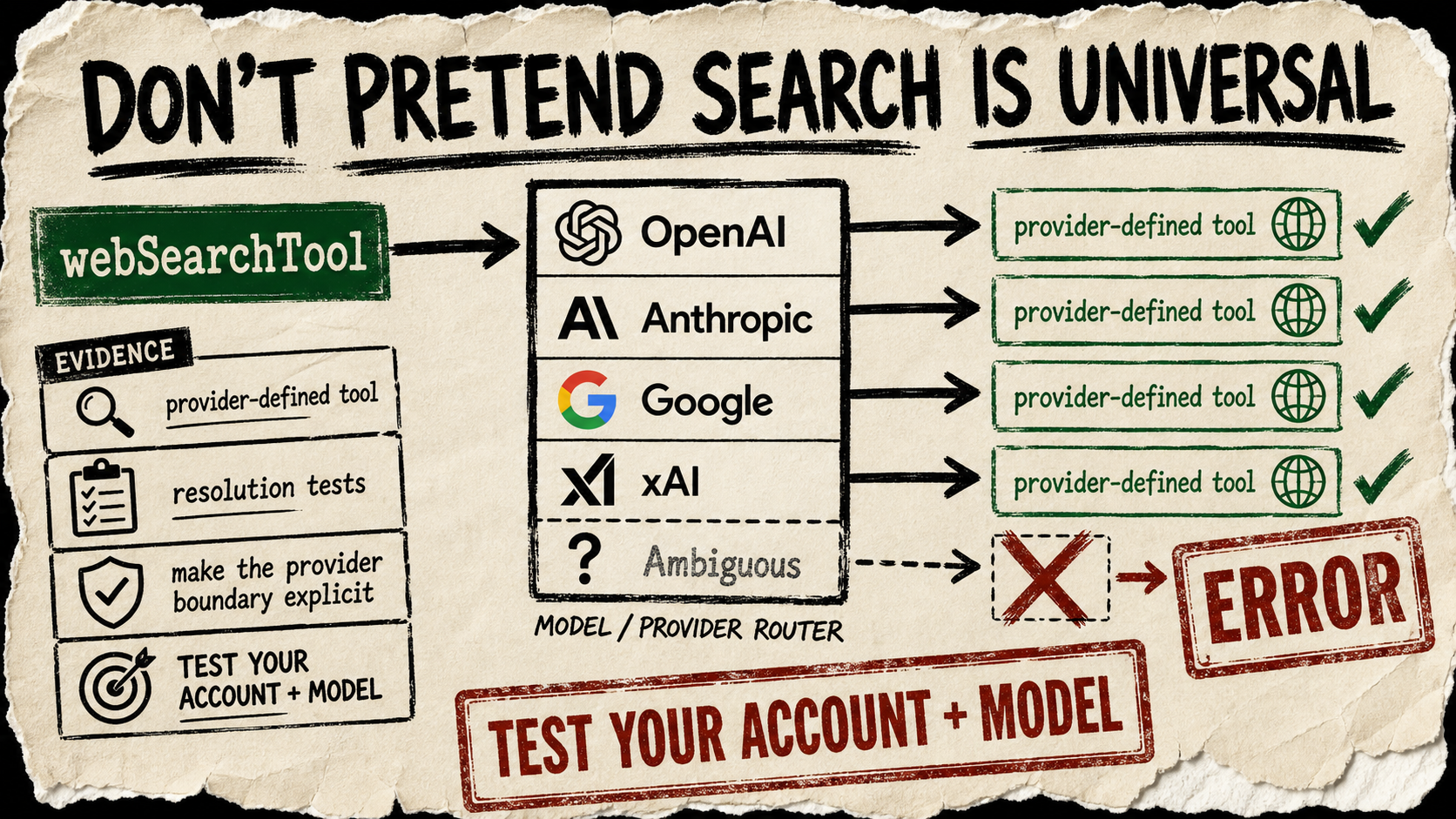
The useful question is not “does my agent have web search?” It is “whose web search is it, and does this model actually expose it?” Mastra’s new public webSearchTool API refuses to hide that question. The marker resolves at runtime into a provider-defined tool for OpenAI, Anthropic, Google, or xAI; an unsupported or ambiguous provider gets an explicit error instead of a pretend-universal fallback.
A practical example
Mastra’s public documentation shows the small integration surface. Attach the marked tool to a research agent, then let the active supported model provider run its own native search facility.
import { Agent } from '@mastra/core/agent'
import { webSearchTool } from '@mastra/core/tools'

const researcher = new Agent({
  id: 'researcher',
  instructions: 'Use web search only for current claims; name your sources.',
  model: process.env.RESEARCH_MODEL!,
  tools: { webSearch: webSearchTool },
})
The practical consequence is clean ownership. Mastra supplies the integration marker and maps the provider; the provider supplies the actual search tool and its account-level behavior. The companion tests make the boundary concrete by accepting provider and router-style model identifiers while rejecting configurations that cannot be mapped safely.
Copy-paste agent instruction
Add Mastra’s webSearchTool only to the research agent that needs current public information. Before enabling it, resolve the configured model to OpenAI, Anthropic, Google, or xAI; if the provider is unsupported or ambiguous, stop and report the configuration instead of substituting another search service. In every answer, separate provider-returned facts from your own inference and preserve source URLs.Access and test caveat
This is a source-level API discovery, not a live provider certification. The code and unit tests show provider resolution and the failure path; they do not test your credentials, model entitlement, regional availability, rate limits, search cost, citation behavior, or result quality. Test one sandboxed query on the exact provider/account combination you will operate, and make the failure state visible to the person who owns that account.