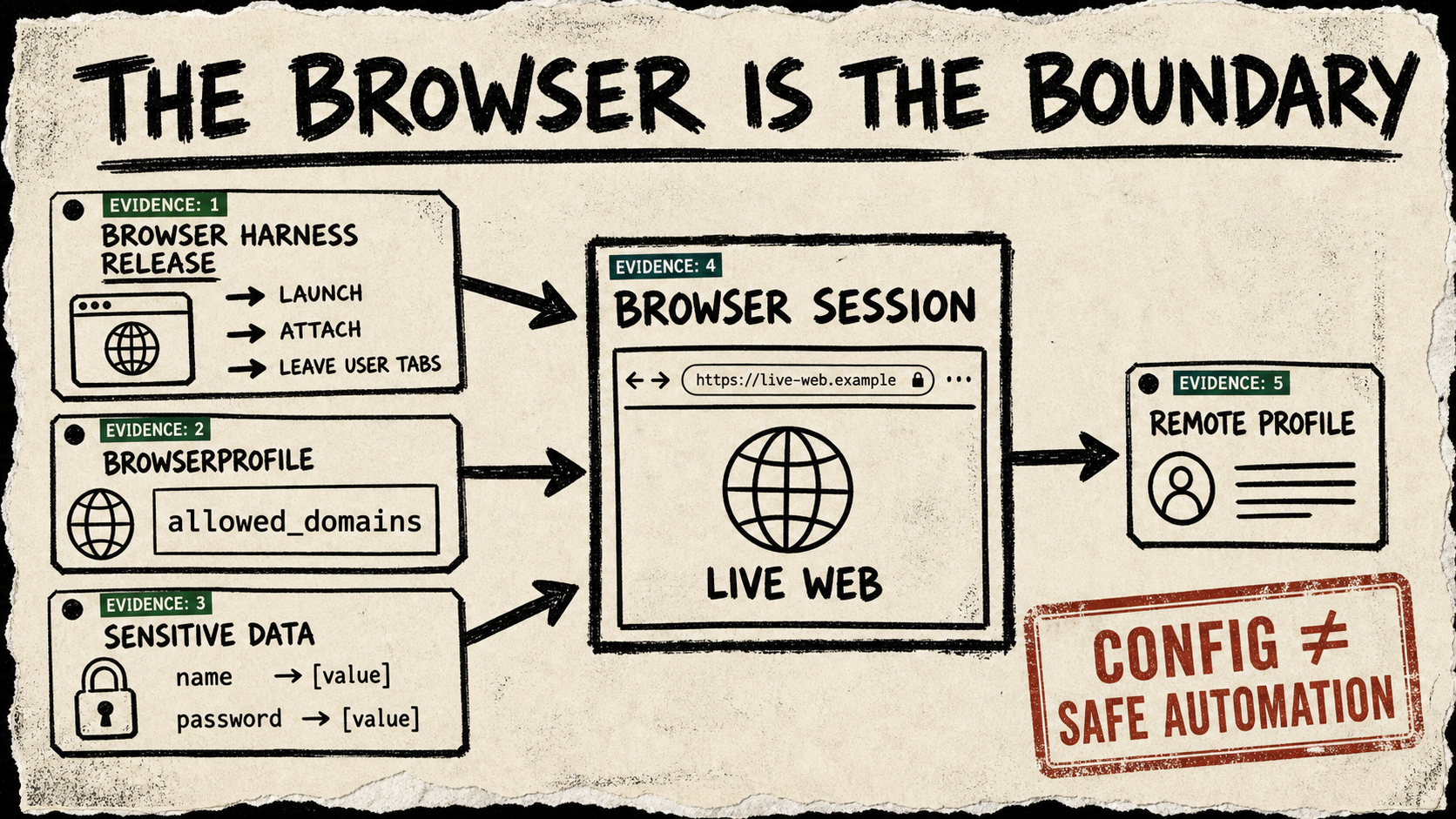
Browser Use’s July 27 0.13.7 release says its Browser Harness can launch a browser when none is open and attach to a reusable tab. In the browser-use/browser-use repository, that is more revealing than a score: an agent is being handed a live browser session, not just a page to inspect.
The browser-use/browser-use project’s release goes further: the Browser Harness prefers a profile already exposing remote debugging, leaves user tabs alone, and calls out stale DevTools port files and permission errors. Those sound like startup details. In a browser agent, they describe who owns the session the model is about to use.
The obvious angle was Browser Use’s public benchmark position. The stronger one arrived in the surrounding source: its own README separates a local, customizable agent from a hosted path with persistent filesystem and memory, profile syncing, proxying, and scaled browser infrastructure. A browser is not just an observation surface. It is a bundle of cookies, open tabs, downloads, network reach, and a history of decisions.
The session is the thing to govern
Browser Use gives that bundle a concrete shape: a BrowserSession receives a BrowserProfile. Its public domain-restriction example binds one session to an explicit allowed_domains list before the agent runs. That is a useful boundary because it turns “please stay on this site” from a sentence in a task into a piece of session configuration.
The project makes a similarly useful distinction with sensitive data. A task can refer to a name or password placeholder while the supplied values remain separately mapped to a specific domain. The example is not a security certification. It is a design clue: a model should not need to see every literal secret merely because it has to complete a page.
That is more consequential than a screenshot, a DOM snapshot, or a clever click loop. If a browser agent reuses a real profile, it inherits the ambient authority in that profile. If it uses a remote browser, someone needs to know what crossed that boundary and what stays persistent. If it can reach a new domain, a successful action can still be an unwanted one.
Make the handoff inspectable
The practical rule is modest: before handing an agent a live browser, name the profile it may use, the domains it may reach, the data placeholders it may request, and the event that ends the session. Treat an attachment to an existing profile as a deliberate escalation, not a convenient default. Keep a small, test account separate from a personal or production identity until the action path is understood.
Browser Use’s release shows the project reducing friction around browser attachment; its examples show that the control knobs exist. Neither proves dependable production automation, task success, safe credential handling, or what a third-party site will do next. The next public test worth watching is one that combines profile attachment, domain limits, sensitive-data substitution, and an interrupted run—without turning the user’s ordinary browser into an unexamined agent credential.